Data bloat is leaking revenue
from your CRM.

Stalled deals pile up. Records go cold. Follow-ups get missed. Bloated weighs the bloat in your HubSpot every Friday and prices what it is costing you.
Dollar-attributed. Not a spreadsheet.
90-second setupRead-only by defaultNo credit card
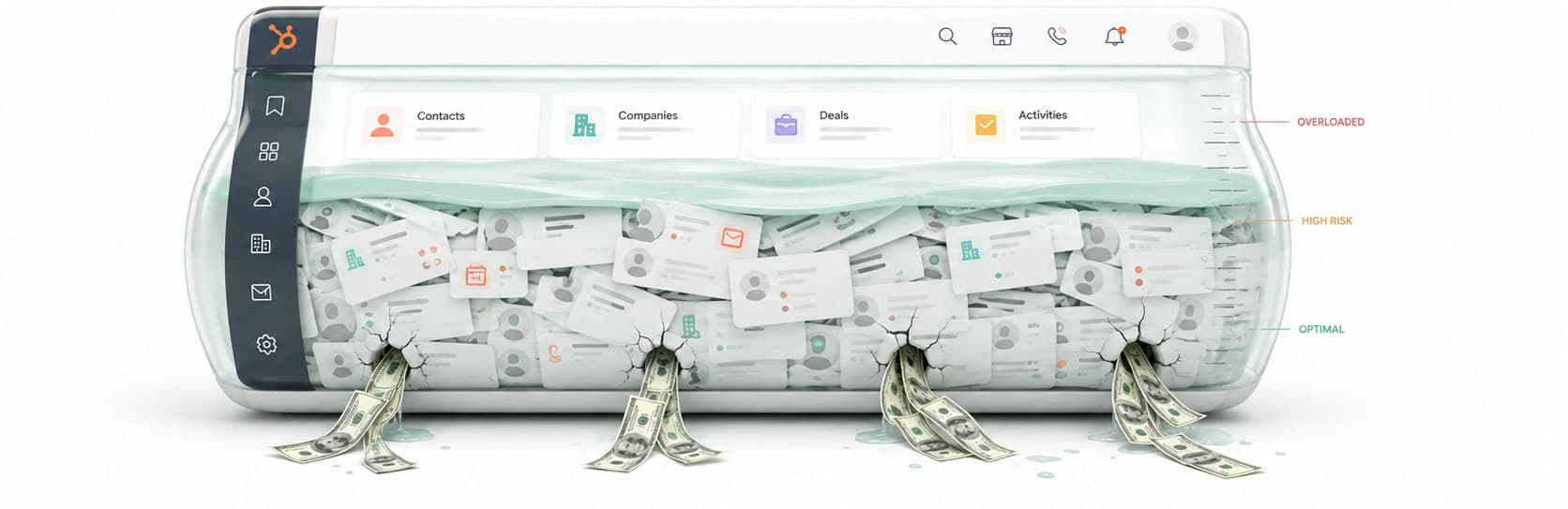
HubSpot CRM overflowing with bloat — leaking revenue
What is data bloat?

Small things piling up.

Every CRM accumulates it. Stalled deals nobody touches. Leads that never got a response. Records owned by people who left the company. Contacts who unsubscribed but are still being emailed. Individually, none of it looks urgent — that is why it sits there. Collectively, it is a weight on your pipeline that gets heavier every week. Bloated weighs it for you.

How it works

Three steps. No configuration.

We took the opposite design approach from every other CRM tool: the rules are pre-built, the schedule is automatic, and the dashboard is opinionated. You don't configure Bloated. You read it.

1

Connect HubSpot

Sign in with HubSpot OAuth — the standard "Allow" screen you've seen 100 times. Read-only access by default. Your credentials never touch our servers; you can disconnect any time from settings.

30 seconds · OAuth-only, no setup forms
2

Bloated weighs your CRM

38 checks weigh every open deal, contact, and company — surfacing stalled deals, cold records, missed follow-ups, and silent compliance risk. The first scan finishes in about 90 seconds — even on CRMs with 5,000+ records.

~90 seconds · then weekly automatic
3
$95K

Fix back to HubSpot

Each finding has a "Fix in HubSpot" button — set next-step tasks, reassign owners, or update fields with one click. Inline diff before every write.All changes are undoable in HubSpot's audit log for 30 days.

One click· or skip if you'd rather fix manually
What Bloated looks for

Five categories of revenue leak.

Follow-up failures
Buyers and leads waiting on a response — the largest source of recoverable revenue across our scans.
Pipeline risk
Deals slipping for structural reasons: stalled, unowned, abandoned, or quietly de-qualified.
Forecast accuracy
Pipeline value being mis-reported — fix the data so your forecast number is trustworthy.
Data quality
Contact and company records that degrade your CRM over time and break automation.
Compliance
Opt-out, consent, and deliverability issues that hurt sender reputation and customer trust.

Bloated weighs 38 kinds of bloat across your CRM every Friday.

Rule library last updated: April 2026.

How we calculate dollar attribution

Pipeline risk findingsare attributed at the deal's actual amount, weighted by stage probability and time-decay (a deal stalled 30 days at 60% probability attributes at amount × 0.6 × decay factor).

Hygiene findingsare attributed via the deals they touch — an orphan company with three open deals attributes at the sum of those deals' weighted amounts, not at zero.

Findings with no associated revenue (e.g. broken email format on a contact with no deals) appear in the dashboard but contribute $0 to the at-risk total.

Read-only by default
Bloated requests read-only OAuth at signup. Write permissions are explicitly enabled later only if you choose.
SOC 2 readiness
SOC 2 readiness assessment in progress. Encryption at rest and in transit via Supabase + Vercel infrastructure.
Never emails your contacts
Bloated reads HubSpot data only. It does not send emails, calls, or notifications to your contacts. Ever.
Disconnect any time
One click in Settings revokes OAuth and deletes your scan history. No data retention beyond 30 days after disconnect.
Pricing

One plan. $79 a month.

No usage tiers. No per-record pricing. No annual contract pressure. If Bloated finds even $1,000 of recoverable revenue in your first scan — well below the median — it's already paid for the year.

7-day free trial
Bloated · per workspace
$79
/month

Flat per HubSpot workspace. Cancel anytime.First month refunded if it doesn't pay for itself.

Automated weekly scans — runs on schedule
On-demand re-scans — unlimited, any time
One-click Fix-in-HubSpot for all 38 checks
Slack + email digests · up to 5 teammates
AI weekly summary · plain-English read on what changed
Full audit log · every change tracked, undoable for 30 days
Start your free 7-day trial
No credit card needed for trial · questions about pricing?
Money-back guarantee.If your first scan doesn't surface at least $5,000 of recoverable revenue, reply to your welcome email and we'll refund the first month. We've never had to.
Frequently asked

The honest answers.

Will Bloated email or message my contacts?
No. Never.Bloated only reads from HubSpot — it doesn't send emails, calls, or notifications to anyone in your CRM. The only outbound messages are to you and your teammates (the Slack digest, the weekly email). Your contacts will never know Bloated exists.
Couldn’t I just build this as a HubSpot saved view?
Honestly? Most of it, yes — and we wrote out how. Our questions page documents the manual HubSpot recipe for each of the 38 checks: which view to build, which custom properties to create, which workflows to wire up. About 41,000 words across the 38 questions — roughly 3 hours just to read, and multiple working days to actually build if you do them all. Half the recipes are 2-minute saved views; the other half need custom properties, workflows, Operations Hub Pro+, or direct API access.

A handful genuinely have no saved-view equivalent: fuzzy duplicate matching (typo-distance, not exact-string), "no engagement of any type within N days of date Y" (no native filter expresses that — needs the engagements API), separating human-sent emails from sequence drips, and per-owner book-of-businessrolled up across deals, contacts, and companies in one view. For those there isn't a DIY HubSpot version.

Bloated is what you'd build if you had the time, the Operations Hub tier, and the patience to maintain 38 views as your team and pipelines change. If you do — the /questions page is a fair place to start.
What if my CRM is genuinely clean?
Then Bloated will tell you that — the dashboard has a "$0 to recover"state for clean CRMs. If your first scan finds less than $5,000 of recoverable revenue, we'll refund your first month. Most customers (with 500+ records) find $50K–$300K on their first scan, but small/early-stage CRMs sometimes don't have enough data for the rules to fire. That's fine — come back when you do.
Can I customize the checks or thresholds?
Lightly. You can hide checks that don't applyto your business (e.g. round-robin assignment makes "no owner" not a leak), and you can adjust the days-stale threshold for stalled deals (default 30, configurable 14–90). You can't write custom checks— that's a deliberate product choice. The checks are opinionated; the product is the opinions.
What HubSpot plan do I need?
Any HubSpot tier with deals, contacts, and companies — including the free CRM. You don't need Operations Hub, Sales Hub Professional, or any paid HubSpot tier. If you can log into HubSpot, you can use Bloated.
How do I disconnect or delete my data?
Settings → Connections → Disconnect HubSpot. One click revokes OAuth and deletes your scan history. No data retention beyond 30 days after disconnect (kept that long only for billing reconciliation). You can also email paul@bloated.aiand we'll handle it manually.
Note from the builder

The pattern was always the same. Small things piled up until they were big things — open opportunities sitting untouched for 60 days, leads that never got a reply, contacts marked “new” since last summer. Bloat. And every pound of it was a pound of revenue leaking out the bottom.

I built Bloated because I'd watched too many small sales teams lose deals to drift — open opportunities sitting untouched for 60 days because nobody had a system for catching them.

“Opinionated, automatic, weekly, and cheap enough that it's not a meeting.”

The big tools that "solve" this — Operations Hub, the configurable platforms — assume you have a rev-ops engineer to set them up. Most companies under 50 people don't. Bloated is what I'd want if I ran sales at a 10-person company.

Real human reading every reply. If something doesn't work, tell me — I usually ship the fix the same day.

PD
Paul DaltonSolo founder · Fredericton, NB · paul@bloated.ai
$?

The fastest way to know what's leaking is to connect HubSpot and look. 90 seconds. No credit card. Find out.

7-day free trialNo credit card requiredMoney-back guarantee